Staying on top of your account activity is simple with LBX. You can easily check your deposit, withdrawal, and transaction history in your personal profile.
Step-by-step guide
1. Log in to your LBX account

2. Go to the "Funds" section and select "Transactions History".
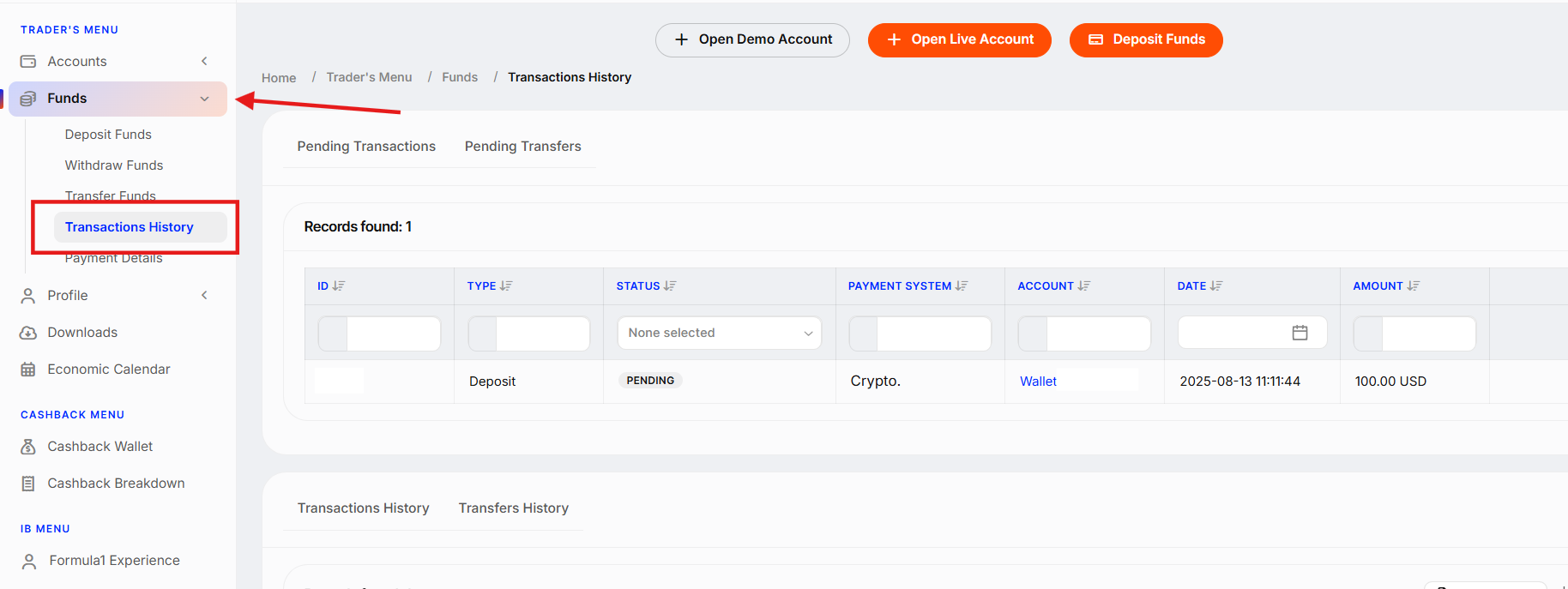
You’ll see a detailed record of your deposits, withdrawals, and transfers — all listed for your convenience.
Need a copy?
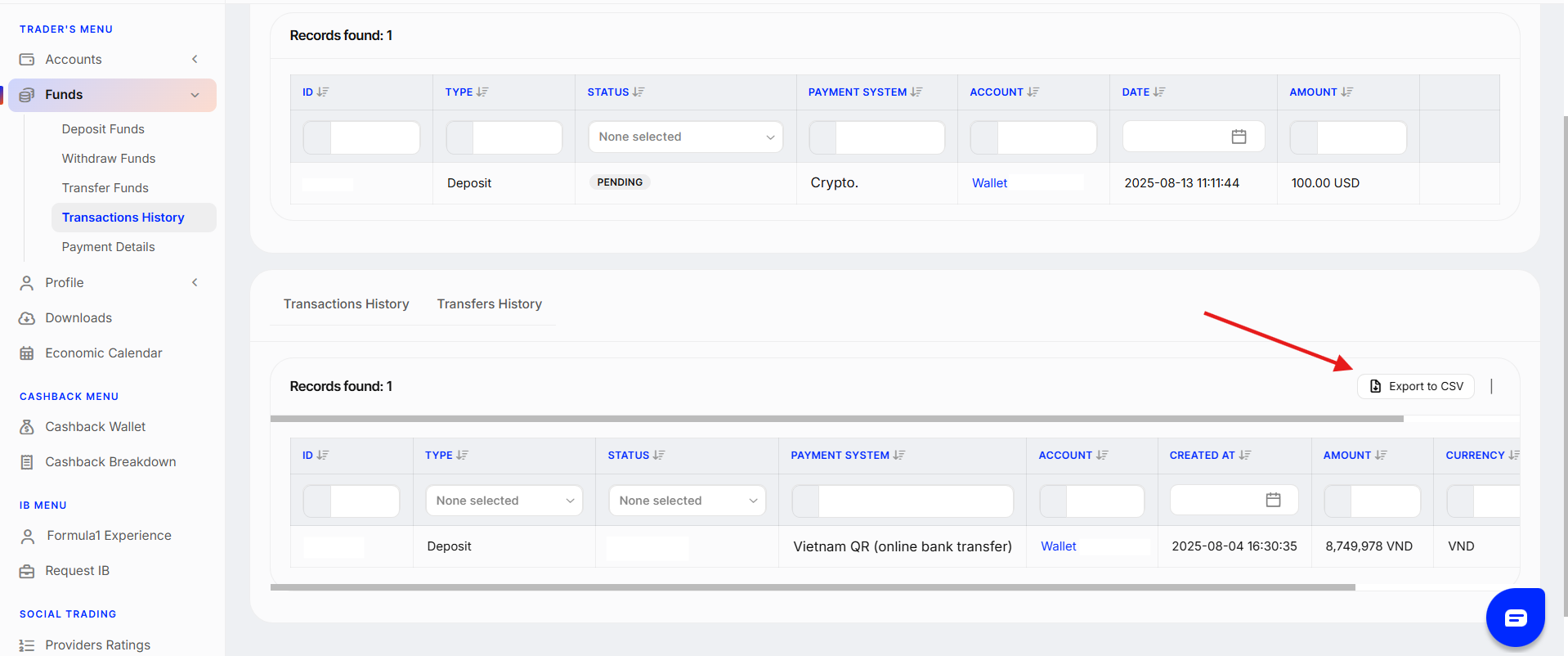
You can filter transactions by date and export your transaction history in CSV format, ideal for personal record-keeping or financial tracking.
If you need help with anything along the way, our support team is always happy to assist.
Was this article helpful?
That’s Great!
Thank you for your feedback
Sorry! We couldn't be helpful
Thank you for your feedback
Feedback sent
We appreciate your effort and will try to fix the article